
The right internet speed for IPTV is lower than most people expect: around 15 Mbps is enough for one Full HD stream and 25 Mbps covers 4K. What matters just as much is how steady that speed is and how much of it actually reaches your television. Here is how to work out what you need and check what you have.
In This Guide
How Much Internet Speed for IPTV Do You Need?
Video quality decides how much data a stream uses. These are sensible targets for a single screen, with a little headroom built in.
| Picture quality | Minimum speed | Comfortable speed |
|---|---|---|
| SD | 3 Mbps | 5 Mbps |
| HD (720p) | 5 Mbps | 10 Mbps |
| Full HD (1080p) | 10 Mbps | 15 Mbps |
| 4K UHD | 20 Mbps | 25 Mbps or more |
Fast live sport uses more data than a talk show at the same resolution, because there is more movement on screen. If you mostly watch football or motorsport, aim for the comfortable column.
Add Up Everything in Your Home
Your broadband is shared. A household with one 4K television, a second Full HD screen, two phones scrolling video and a laptop on a video call can easily need 60 Mbps at the same moment.
A quick rule: add the comfortable speed for every screen that streams at the same time, then add 10 Mbps for everything else. If the total is close to your package speed, expect trouble in the evening.
5 Easy Checks for Your Connection
1. Test on the right device
Run the test on the television or streaming stick. Speed measured on a phone beside the router tells you what arrives at the house, not what reaches the lounge. Fast.com works in most TV browsers and needs no account.
2. Test at the time you watch
Speeds often dip between 7 pm and 10 pm when the whole street is online. A line that shows 60 Mbps at lunchtime can fall well below that at peak time.
3. Look at more than download speed
Two other numbers matter for live television. Ping should ideally be under 50 ms. Jitter, the variation in ping, should be under 30 ms. High jitter causes stutter even on a fast line.
4. Compare Wi-Fi with a cable
If you can, plug the device in with an Ethernet cable and test again. A big jump means your Wi-Fi is the bottleneck, not your broadband. Moving to the 5 GHz band or repositioning the router usually closes much of that gap.
5. Check what you are paying for
Compare your result with the minimum guaranteed speed in your contract. UK providers signed up to Ofcom’s voluntary broadband speed codes commit to letting you leave without penalty if they cannot fix a persistent shortfall. You can read more on the Ofcom website.
Which Broadband Type Works Best?
Full fibre (FTTP) is ideal: fast, stable and consistent at peak time. Part fibre (FTTC), typically 30 to 70 Mbps, is fine for most homes. Standard ADSL at 10 Mbps or less can manage one HD stream but struggles with anything more.
4G and 5G home broadband can be very quick, but speeds vary with signal strength and how busy the mast is. Check whether your plan has a data cap, because an HD stream uses roughly 2 to 3 GB an hour and 4K around 7 GB.
Internet Speed for IPTV: Understanding Your Speed Test
A speed test returns several numbers, and only one of them gets any attention. To judge your internet speed for IPTV properly, it helps to know what each figure means and which ones affect a television stream.
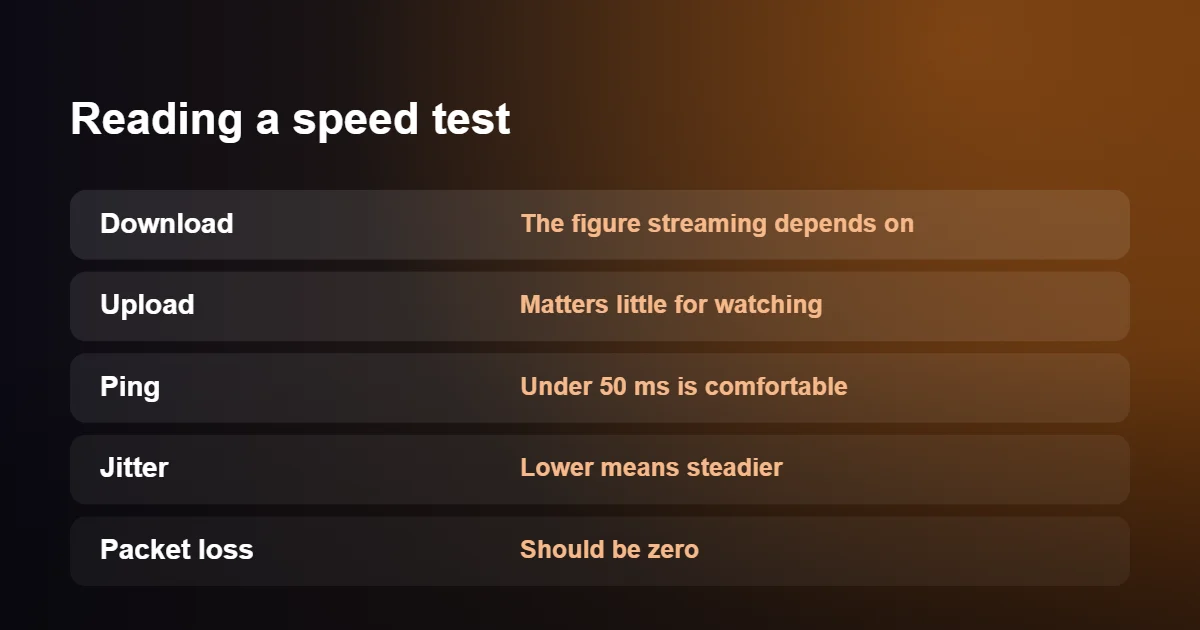
- Download speed is how quickly data reaches you, measured in megabits per second (Mbps). This is the figure a stream depends on.
- Upload speed is how quickly you can send data. Watching television sends almost nothing, so even a low upload figure is fine.
- Ping, or latency, is the time a signal takes to make a round trip, measured in milliseconds. Anything under about 50 ms is comfortable. A high ping makes channels slower to start but does not by itself cause buffering.
- Jitter is how much the ping varies from one moment to the next. A low, steady figure means data is arriving evenly; a high one suggests a congested or unstable link.
- Packet loss is the share of data that never arrives. It should be zero. Even one or two per cent produces stutter and blocky patches in live video.
One source of confusion deserves a line of its own. Broadband is sold in megabits, while file sizes are shown in megabytes, and there are eight bits in a byte. A 40 Mbps line therefore downloads about 5 megabytes each second. Nothing is wrong when a download window shows a much smaller number than your package.
How Much Data Does IPTV Use?
Internet speed for IPTV is about how fast data flows; usage is about how much flows in total. If your broadband has a monthly allowance, or you watch over a mobile connection, the second number matters just as much.
| Picture quality | Approximate data per hour | Three hours a day for a month |
|---|---|---|
| SD | About 1 GB | About 90 GB |
| HD (720p) | About 2 GB | About 180 GB |
| Full HD (1080p) | 3 to 4 GB | 270 to 360 GB |
| 4K UHD | 7 to 10 GB | 630 to 900 GB |
Most fixed-line broadband in the UK is unlimited, so these totals are of no concern at home. They matter on a phone hotspot, on a mobile broadband router with a cap, and on packages that describe themselves as unlimited but slow you down after a fair-use threshold. In those cases, choosing the HD version of a channel in place of 4K cuts usage by more than half with little visible loss on a small or medium screen.
Internet Speed for IPTV on Mobile Broadband and 5G
Home broadband over the mobile network has become a real alternative where fixed lines are slow, and a good 5G signal can outpace many fibre packages. It behaves differently from a cable in the ground, however, and the differences show up in the evening.
A mobile mast shares its capacity among everyone connected to it. At four in the morning you may have it almost to yourself; at eight in the evening you are sharing with the whole neighbourhood. Speeds that look excellent in a daytime test can fall sharply at exactly the time you sit down to watch. Always test a mobile connection during peak hours before relying on it, because that is when your internet speed for IPTV is at its lowest.
Position makes a large difference as well. Place the router near a window on the side of the house facing the mast, upstairs if possible, and away from thick walls. Moving it a couple of metres can double the speed. Where the signal is marginal, an external antenna fitted to the router is usually a better investment than a more expensive data plan. Satellite broadband also works for streaming: its speeds are ample, and the slightly longer delay is not noticeable when watching television.
How Your Router Affects Internet Speed for IPTV
The internet speed for IPTV that you pay for is delivered to the router. What reaches the television is often far less, and the equipment in between is responsible.
Start with the router itself, since it sets the ceiling on internet speed for IPTV over Wi-Fi. Models supplied by providers several years ago may only support older Wi-Fi standards, which struggle once a dozen phones, speakers and doorbells are connected. If yours is more than five or six years old, ask your provider for a current model; many will send one free to an existing customer who asks.
Placement comes next. Wi-Fi weakens with distance and with every wall, floor and large appliance in its path. A router hidden in a cupboard by the front door serves a living room at the back of the house poorly. Put it in the open, off the floor and as near to the middle of the home as the incoming line allows.
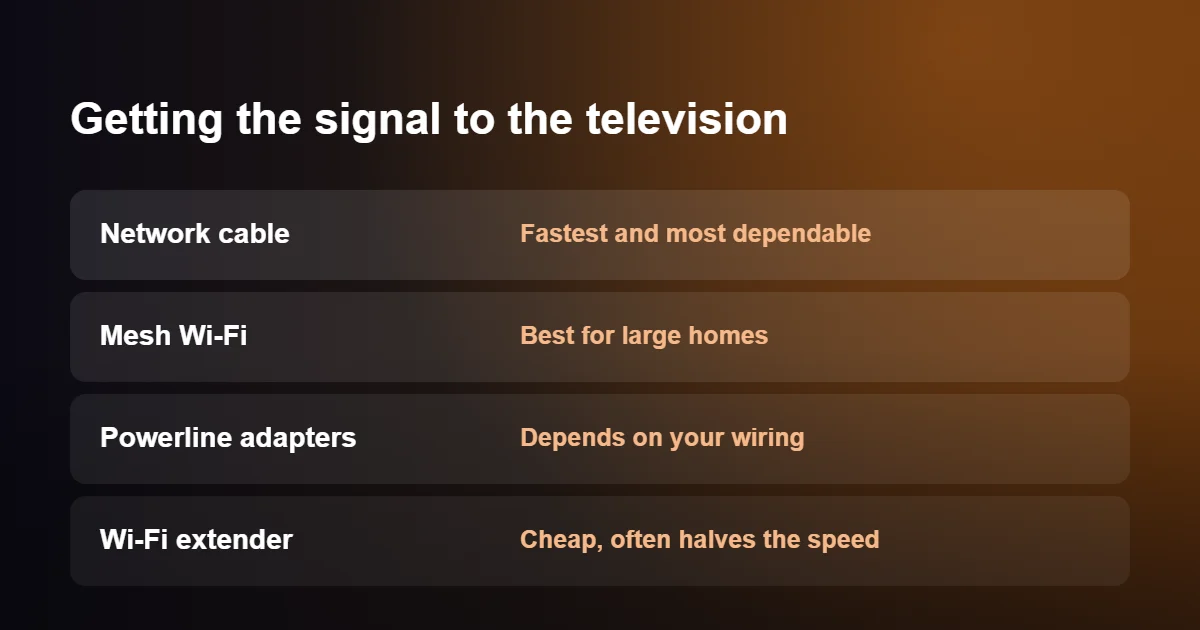
When the television is simply too far away, there are four ways to bridge the gap. A network cable is the fastest and most dependable. A mesh system, with two or three units that work together, spreads strong Wi-Fi across a large home. Powerline adapters send the connection through the mains wiring and work well in some houses and poorly in others, depending on the circuits. A single plug-in Wi-Fi extender is the cheapest choice, but most of them repeat the signal on the same channel and deliver roughly half the speed they receive.
One reassuring detail: many streaming sticks and boxes have a network port limited to 100 Mbps. That is not a bottleneck. A 4K channel needs a quarter of it.
Why Speed Drops in the Evening
Your internet speed for IPTV is not constant through the day. Between about seven and eleven in the evening, most households in a street are online together, and the shared parts of the network carry far more traffic. Providers plan for this, but on older part-fibre connections, where the last stretch to your home is a copper telephone line, the dip can be noticeable.
This is why advertised speeds are now given as averages measured at peak time, and why your contract should state a minimum guaranteed speed for your own line. Under Ofcom’s voluntary code of practice on broadband speeds, which the large UK providers have signed, you are entitled to leave without penalty if your speed stays below that minimum and the provider cannot fix it within thirty days. The details are on the Ofcom website. Keep a note of a few evening speed tests, with dates and times, before you call; evidence makes the conversation much shorter.
Your own household has a peak as well. Games consoles download updates of many gigabytes without asking, phones back up photos when they are put on charge, and security cameras upload continuously. Any of these can halve the internet speed for IPTV that is left over for the television.
Giving the Television Priority
If you cannot increase your internet speed for IPTV, manage the demand on it. Most routers have a feature called Quality of Service, sometimes labelled device priority, which lets you mark one device as more important than the rest. Give that status to the streaming stick or television and the router serves it first whenever the line is busy. Look for the option in the router’s app or on its settings page.
A little scheduling helps too. Set consoles and computers to download updates overnight, and let cloud backups run while you are asleep. If your router offers a guest network, put visitors and smart-home gadgets on it, which keeps the main network clear and makes it easier to see what is using the line.
Internet Speed for IPTV: A Worked Example
Take a family of four with a 67 Mbps part-fibre package. On a Saturday evening there is football in 4K in the living room, a film in Full HD in a bedroom, and two phones in use. Using the comfortable figures from the table at the top of this page, that is 25 Mbps for the 4K screen, 15 Mbps for the Full HD screen and 10 Mbps for everything else: 50 Mbps in total.
On paper the internet speed for IPTV is sufficient, with room to spare. Now suppose a peak-time test shows that the line actually delivers 45 Mbps at eight in the evening, and the living room television is on Wi-Fi two rooms from the router, receiving perhaps 20 Mbps. The football will stutter, although the package looked sufficient. A cable to the living room and dropping the bedroom film to HD would solve it without spending anything on a faster line. Working through your own evening in the same way shows where the real limit on your internet speed for IPTV is.
Checking Internet Speed for IPTV Before You Upgrade
A faster package is the obvious response to buffering, and it is often the wrong one, because poor internet speed for IPTV usually starts inside the home. Run two tests first.
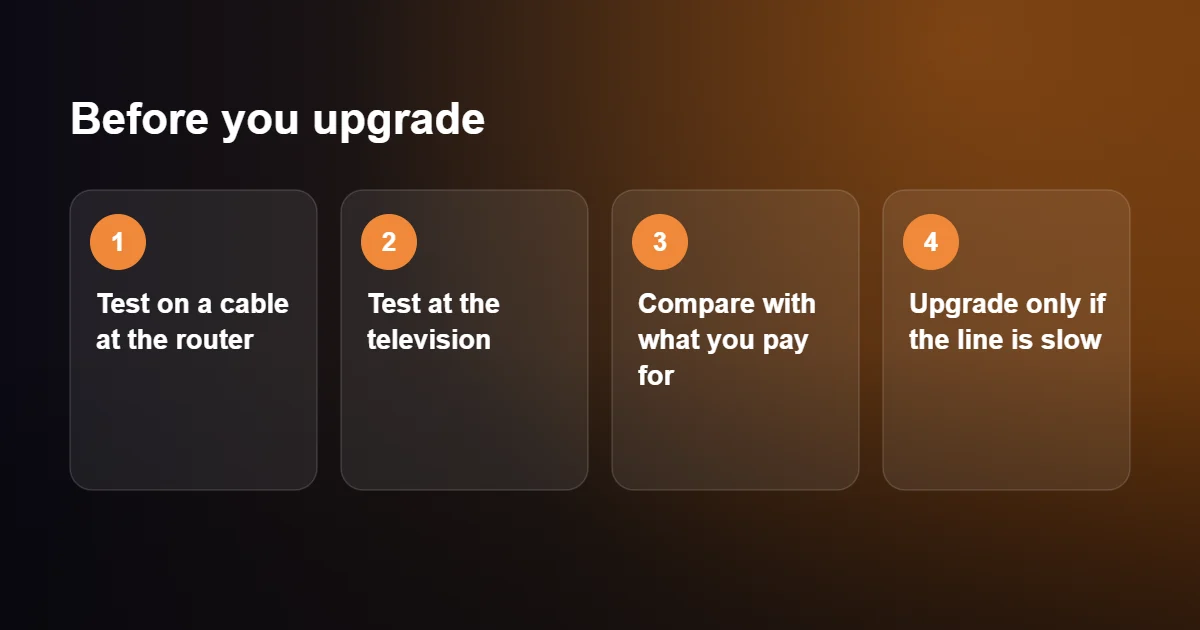
- Connect a laptop to the router with a cable and run a speed test in the evening. This shows what the line itself delivers.
- Run the same test on the television or streaming device, in the place where it normally sits.
- Compare the first result with the speed you are paying for.
- Compare the second result with the first.
| What you find | Will a faster package help? |
|---|---|
| Slow at the router, even on a cable | Yes, or ask the provider to fix the line |
| Fast at the router, slow at the television | No. Improve the link to the television |
| Fast everywhere, but several people stream at once | Yes, if the total demand exceeds the line |
| Fast everywhere, trouble only on certain channels | No. The cause is outside your home |
If the answer is yes, check which technologies are available at your address. Full fibre, where the fibre runs all the way into the home, holds its speed in the evening far better than a connection that finishes on a copper line.
Testing Internet Speed for IPTV on Each Device
The only test that counts is one run on the device you watch on, in the place where it normally sits. How you do that depends on the device.
- Firestick and Android TV. Install a speed test app from the app store, or open the built-in browser and visit a speed test website. Both report the internet speed for IPTV that the stick itself receives, which is often well below the figure on your phone.
- Smart TVs. The network menu usually has a connection test, but on many models it only confirms that the television is online. Use the television’s web browser to run a proper test where one is available.
- Apple TV, iPhone and iPad. Speed test apps are in the App Store. Run the test on the Apple TV itself, not only on the phone in your hand.
- Computers. Any speed test website works. Close other tabs and pause downloads first.
- MAG boxes. There is no way to install a test. Plug a laptop into the same network cable for a moment and test there.
Run each test two or three times and take the middle result, because a single reading can be thrown off by another device starting a download. Repeat it at the time you normally watch. A morning figure tells you very little about the internet speed for IPTV you will have at eight in the evening.
Internet Speed for IPTV: Quick Questions
Is 50 Mbps enough?
For most homes, yes: 50 Mbps is a comfortable internet speed for IPTV. It covers one 4K stream and one Full HD stream with room left for phones and browsing, provided the speed actually reaches the television.
Do I need full fibre?
No. A stable part-fibre line gives enough internet speed for IPTV on one or two screens. Full fibre helps mainly in busy households and at peak time.
Why is my speed test fast while the app is slow?
The test may have been run on a phone beside the router while the television is at the other end of the house. Test on the device you watch on. If that is also fast, the delay is more likely on the service side than on your line.
Can I watch using my phone as a hotspot?
Yes, with a strong 4G or 5G signal. Watch the data allowance, since an evening of HD viewing can use several gigabytes.
Will streaming slow the internet for everyone else?
Each stream takes a fixed share of the line, so the internet speed for IPTV on one screen is speed taken from everyone else. On a fast package nobody notices; on a slow one, a 4K stream can leave little for other people, and choosing HD is the considerate option.
Fast Line, Still Buffering?
If your internet speed for IPTV is well above the targets and the picture still pauses, the cause is elsewhere: usually Wi-Fi, a device low on memory or the app’s settings. Work through our IPTV buffering fix checklist next.
Want to see how a service performs on your own line before committing? A free 24-hour trial from British IPTV Direct lets you test Full HD and 4K at the times you normally watch.