IPTV vs satellite TV is a choice more UK households face every year, as broadband gets faster and long television contracts look less attractive. Both deliver live channels to your living room, but they do it in completely different ways. Here are the eight differences that matter when you are deciding.
In This Guide
How Each One Works
Satellite television is broadcast from space to a dish on your wall, then down a cable to a set-top box. IPTV travels over your broadband connection to an app on a television, streaming stick, phone or computer. One depends on a clear view of the sky, the other on a decent internet line.
IPTV vs Satellite TV: 8 Essential Differences
1. Installation
Satellite needs a dish, cabling and usually an engineer visit. Flats, listed buildings and rented homes may need permission. IPTV needs nothing fitted: you install an app and sign in, typically in about ten minutes.
2. Contracts
Satellite packages commonly run for 18 or 24 months, with charges for leaving early. IPTV is normally prepaid for a fixed period, such as 3, 6 or 12 months, with nothing to cancel at the end.
3. Cost
A satellite bundle with sport and films can run to a significant monthly bill, and prices often rise mid-contract. IPTV subscriptions are usually a fraction of that, paid once up front. See current UK IPTV subscription prices for an example.
4. Picture quality
Satellite gives a consistent HD or 4K picture that does not depend on your broadband. IPTV can match it, but only with a stable connection: about 15 Mbps for Full HD and 25 Mbps for 4K. Check our guide to internet speed for IPTV if you are unsure.
5. Reliability
Heavy rain and snow can interrupt a satellite signal. IPTV ignores the weather but is sensitive to Wi-Fi problems and evening congestion. Each has a weak point; they are simply different ones.
6. Devices and rooms
Satellite is tied to the box, and extra rooms usually cost extra. IPTV works on almost any screen you own, so the bedroom television, a tablet in the kitchen and a phone on the train are all covered.
7. On demand
Satellite boxes offer catch-up and downloads, often with storage limits. IPTV services typically include a large on-demand library of films and series alongside the live channels.
8. Moving home
Move with satellite and you need a new installation and possibly a new contract. With IPTV you take your login with you and carry on watching as soon as the broadband is live.
Side by Side
| IPTV | Satellite TV | |
|---|---|---|
| Needs | Broadband and an app | Dish, cable and box |
| Set-up time | About 10 minutes | Engineer appointment |
| Typical commitment | Prepaid, no contract | 18 to 24 months |
| Weak point | Poor Wi-Fi or slow line | Bad weather |
| Screens | TV, stick, phone, tablet, PC | Mainly the box |
| Away from home | Yes | Limited |
IPTV vs Satellite TV: What Each One Needs From Your Home
Before comparing channels or prices, it is worth asking a simpler question: can your home actually take each option? The practical requirements of IPTV vs Satellite TV are very different, and for many households they settle the matter on their own.
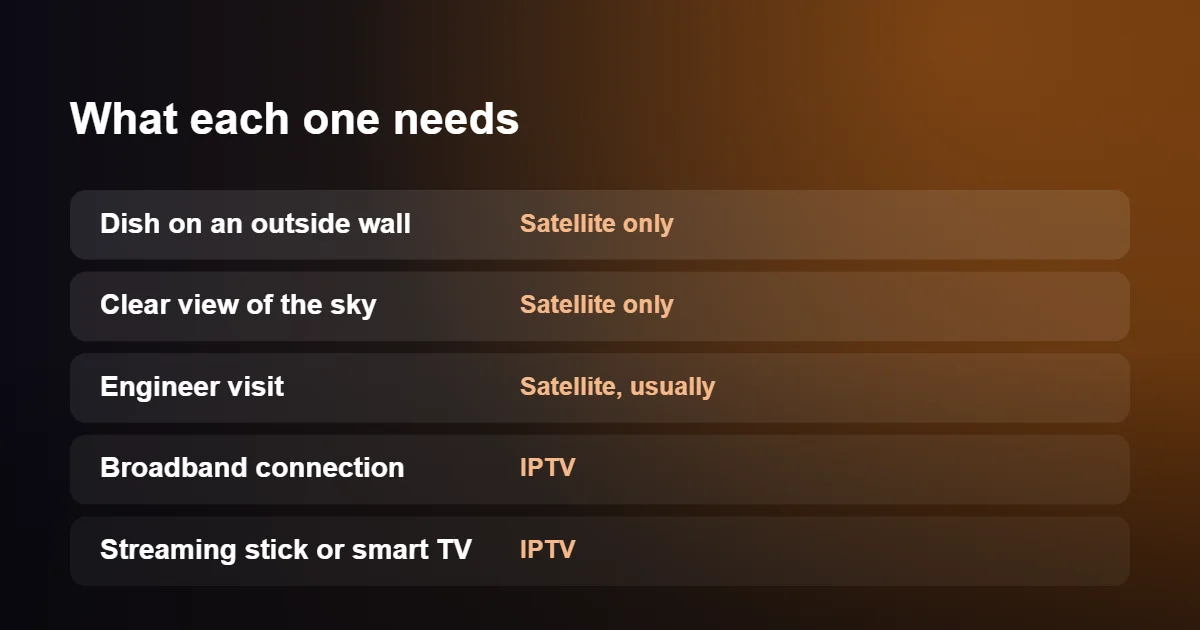
Satellite needs a dish with a clear view of the sky to the south-east, which is where the satellites serving the UK sit. Trees, a neighbouring building or a balcony above can block the signal completely. The dish has to be fixed to an outside wall or chimney and a cable run indoors, normally through a drilled hole. If you rent, you need the landlord’s agreement. In a block of flats you depend on a communal dish, if there is one, and in a listed building or conservation area there may be planning restrictions on where a dish can go.
IPTV needs none of that. It asks for a broadband connection, a device that plugs into the HDMI socket of your television, and an app. Nothing is attached to the building, nobody has to visit and there is nothing to remove when you leave. The requirement moves indoors instead: your broadband has to be fast and steady enough, and the signal has to reach the television, either over Wi-Fi or with a network cable.
As a rule of thumb, a home with good broadband and an awkward outlook suits IPTV, while a home with a clear view of the sky and poor broadband suits satellite.
IPTV vs Satellite TV in Bad Weather
Anyone who has owned a dish knows the message that appears during a downpour. Satellite signals travel tens of thousands of kilometres, and the last few through heavy rain, wet snow or thunderclouds weaken them enough for the picture to break up or disappear. Engineers call it rain fade. A dish that has been nudged slightly out of line by wind, or a connector that has corroded over the years, makes the problem appear in lighter weather.
IPTV is indifferent to the sky, because the signal arrives through the same line as your internet. Its weak points are different: a fault on the broadband line, a router that needs restarting, or a slowdown at the busiest time of the evening. In the IPTV vs Satellite TV comparison, then, neither is immune to interruption. Satellite fails for everybody in the street at once when a storm passes over; IPTV problems are usually specific to one home and often fixable from the sofa. Our IPTV buffering fix guide covers those fixes.
The Real Cost of IPTV vs Satellite TV Over Two Years
With IPTV vs Satellite TV, monthly prices in adverts rarely tell the whole story, so compare what you will have paid after two years, which is roughly the length of a typical pay-TV contract.
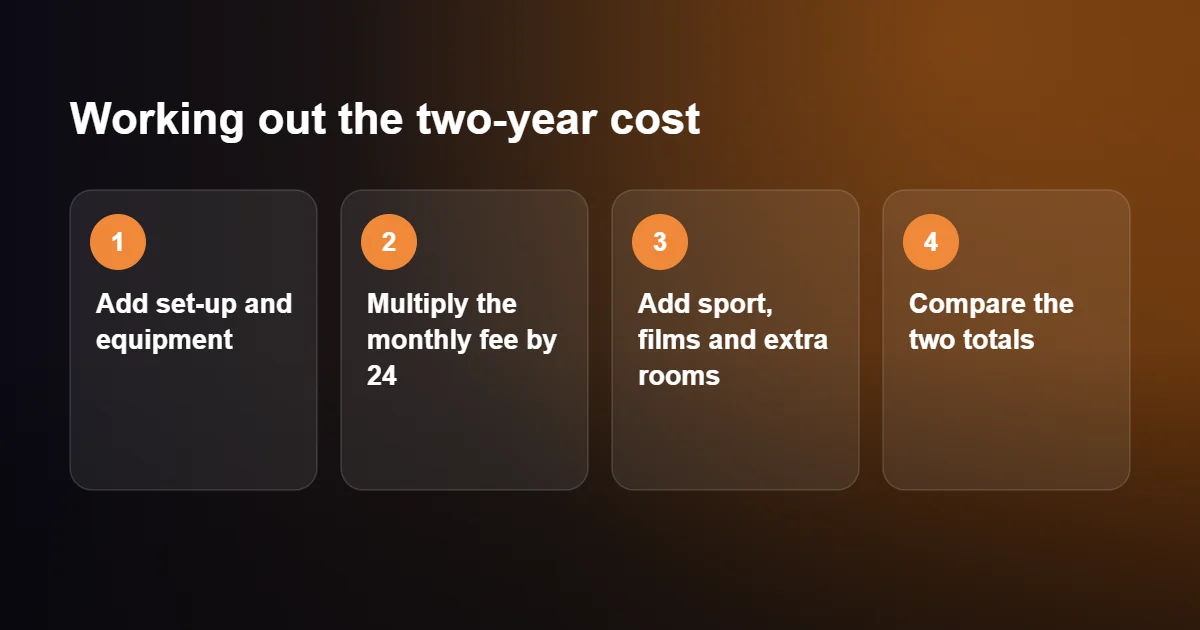
A satellite pay-TV bill is built in layers. There is often a set-up or installation fee. The headline monthly price covers a basic package, and sport, cinema, children’s channels and Ultra HD are each added on top. Watching in a second room usually costs extra every month, and so does a second box. Many contracts also allow the price to rise once a year while you are still tied in, and leaving early means paying off the remaining months.
IPTV pricing is flatter. A subscription normally includes every channel and the on-demand library for one fee, and you choose a term of one, three, six or twelve months, with the longer terms costing less per month. The only other expense is the device, and a streaming stick is a modest one-off purchase that you keep. Broadband is needed too, but nearly every home already pays for it. You can see how the terms compare on our UK IPTV subscription page.
Two points keep the comparison honest. First, satellite does not have to mean a monthly bill: a free-to-air satellite box receives the main UK channels through a dish with no subscription at all, although without the premium sport and films. Second, in the UK you need a TV licence to watch live television as it is broadcast, however it reaches your screen. That applies equally to both sides of IPTV vs Satellite TV, and the rules are set out on the official TV Licensing website.
IPTV vs Satellite TV for Live Sport: The Delay
There is one area of IPTV vs Satellite TV where satellite keeps a clear technical edge, and that is delay. A satellite broadcast reaches your screen a few seconds after the event. Internet streams are prepared in short chunks and buffered by the player, which adds anything from twenty seconds to a minute.
For most programmes this is invisible. For live football it can matter: a neighbour with a dish may cheer before you see the goal, and a goal alert on your phone can arrive ahead of the picture. The fix is simple enough. Silence score notifications during the match and keep out of group chats until the final whistle. If being first matters more to you than anything else on this page, that is a fair reason to lean towards satellite.
Picture and Sound in More Detail
On paper, IPTV vs Satellite TV is a draw on picture: both systems deliver HD as standard and 4K on selected channels, so the labels are the same. What differs is how consistent the result is. A satellite channel is sent at a fixed quality that does not depend on anything in your home, so it looks the same every evening. An IPTV channel can look every bit as good, and on a strong connection often does, but it relies on your broadband holding its speed while other people in the house are online.
Motion is worth a mention for sports viewers. UK broadcasts run at 50 frames per second, and a satellite box outputs that automatically. A streaming device may default to 60, which can make a ball or a panning camera look slightly jerky until you change the refresh rate setting to match. Surround sound is available on both, provided your television or soundbar supports it. If you are unsure whether your line is up to 4K, our guide to internet speed for IPTV gives the figures.
Recording, Pausing and Catch-Up
Recording is where habits shape the IPTV vs Satellite TV choice. Satellite boxes with a built-in hard drive made recording part of everyday viewing: set a series to record, pause live television when the doorbell rings, and keep a library of films. That works without any internet connection, although the recordings stay on the box and are lost if it fails or goes back to the provider.
IPTV approaches the same need from another direction. Instead of recording, you rely on catch-up, which lets you open programmes shown in the past few days on supported channels, and on a library of films and series that are available whenever you want them. Some player apps can pause live channels or record to a USB drive, but this depends on the app and the device. People who record a great deal sometimes miss the old way at first; people who mostly watch live or on demand rarely notice the difference.
Watching Away From Home
A dish is bolted to one building, and the service stays there, which is a real limit in the IPTV vs Satellite TV comparison. Satellite providers offer companion apps, but they tend to carry a reduced selection of channels and limit the number of devices.
IPTV is not tied to an address. The same login works on a phone on the train, a tablet in a hotel room and a laptop at a relative’s house, as long as there is a decent connection. For students, people who work away during the week and families with a caravan or holiday home, this is often the feature that decides IPTV vs Satellite TV, because one subscription follows them around.
Switching From Satellite Without a Gap
You do not have to settle IPTV vs Satellite TV blind, and you should not cancel anything until you are sure. A careful switch takes four steps.
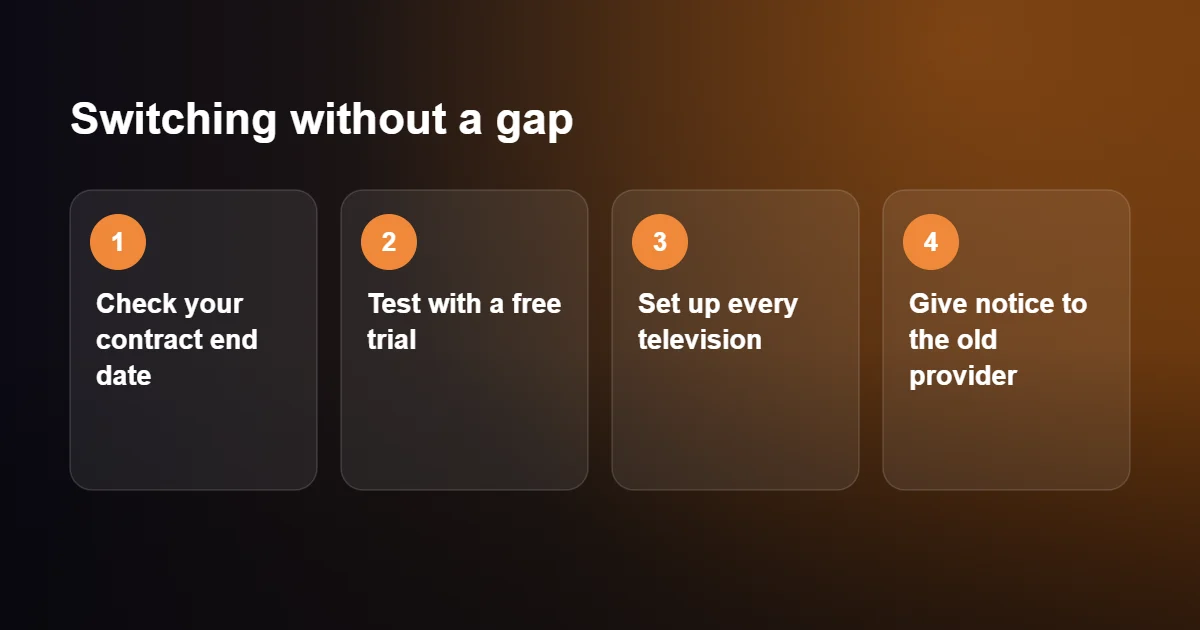
- Check your contract. Find the end date of your minimum term and the notice period, which is commonly about a month. Cancelling before the minimum term ends usually triggers a charge.
- Test on your own line. Use a free IPTV trial at the times you normally watch, including a busy weekend evening.
- Set up every television. A stick for each set is cheaper than multiroom fees, but check that the Wi-Fi reaches the bedrooms.
- Give notice. Only when everything works, tell your old provider and ask how to return their equipment.
Many people keep the dish on the wall afterwards. Connected to a free-to-air satellite box, it carries the main national channels with no monthly fee and makes a useful backup on the rare day the broadband is down.
IPTV vs Satellite TV: Who Each Option Suits
| Your situation | Better fit | Why |
|---|---|---|
| Renting, or living in a flat | IPTV | Nothing is fixed to the building |
| Rural home with slow broadband | Satellite | Quality does not depend on your line |
| Several televisions in the house | IPTV | No multiroom fee for each extra set |
| Must see every goal first | Satellite | Shorter delay on live events |
| Often away from home | IPTV | The login travels with you |
| Dislike long contracts | IPTV | Terms from one month |
If two rows of this IPTV vs Satellite TV table pull you in opposite directions, weigh them by how often they apply. A slow line affects every minute of viewing, whereas a thirty-second delay only matters for a few live events each week.
The First Day With IPTV vs Satellite TV
The two services begin very differently. With satellite pay-TV you place an order and book an installation, which may be days or a couple of weeks away. An engineer then fits the dish, runs the cable, connects the box and activates your viewing card, and somebody has to be at home for a morning or an afternoon while this happens. If the engineer finds there is no clear line of sight, the installation is abandoned and you are back where you started.
IPTV starts with a message. Once you have chosen a plan, the login is sent to you, usually within about a quarter of an hour. You install a player app on a stick or smart TV, enter the details and the channels load. If you still need to buy a streaming stick, it can be ordered for delivery the next day, and it works on any television in the house. For anyone moving into a new home and wanting television on the first evening, this is the practical difference in IPTV vs Satellite TV that matters most.
Common Myths About IPTV vs Satellite TV
A few assumptions come up again and again, and most are out of date.
IPTV always buffers
Buffering comes from a weak connection or an overloaded service, not from the technology. On a steady line with a well-run service, channels open in a second or two and play without pauses.
Satellite has more channels
A satellite has a fixed amount of capacity, and every channel takes a share of it. An internet service has no such ceiling, which is why IPTV line-ups are normally far larger and include channels from many other countries.
You need a smart TV
You do not. A television from fifteen years ago works perfectly well with a streaming stick, provided it has an HDMI socket.
The satellite picture is always better
It is more predictable, which is not the same thing. On a fast line an IPTV channel in HD or 4K is just as sharp, so the fair summary of IPTV vs Satellite TV on picture is that satellite is consistent and IPTV depends on your broadband.
Setting up IPTV is technical
It involves installing one app and typing or pasting a login. If you can sign in to an email account, you can set it up.
IPTV vs Satellite TV: Quick Questions
Do I need a dish or an aerial for IPTV?
No. Everything arrives through your broadband connection, so there is no outdoor equipment at all.
Can I use my existing television?
Yes. Any television with an HDMI socket works once a streaming stick or box is plugged in, and most recent smart TVs can run a player app without extra hardware.
What can I do with my old dish?
Leave it in place. A free-to-air satellite receiver connected to the same cable picks up the main UK channels without a subscription.
How fast does my broadband need to be?
Around 10 Mbps is enough for one HD channel and about 25 Mbps for 4K, with more needed if several people stream at once.
Is IPTV reliable enough to replace satellite?
On a stable connection, yes. The IPTV vs Satellite TV gap in reliability is small in a home with good broadband, and a trial during your usual viewing hours is the quickest way to find out.
Which Should You Choose?
Satellite still makes sense if your broadband is slow or unreliable, or if you simply prefer a traditional box and a single bill.
IPTV is the better fit if you have a reasonable broadband line, want to avoid a long contract, rent your home, or like to watch on several devices.
The simplest way to settle IPTV vs satellite TV for your own home is to try it. A free 24-hour IPTV trial shows you exactly how it performs on your connection before you change anything.