
IPTV on Mac needs no extra hardware and very little setup: paste your login into a player and you are watching. What catches people out is that macOS handles downloaded apps differently from Windows, and that the best player for a Mac is not always the one recommended for other devices. Here are four proven ways to watch IPTV on Mac, with the exact steps for each.
In This Guide
What You Need for IPTV on Mac
A MacBook, iMac, Mac mini or Mac Studio running a recent version of macOS, plus your subscription details: an M3U link or an Xtream Codes login. The difference is covered in M3U vs Xtream Codes. If you do not have a login yet, request a free 24-hour trial.
It also helps to know which chip your Mac has. Open the Apple menu › About This Mac. “Apple M1” or later means Apple silicon; “Intel” means an older model. This affects the fourth method below.
4 Proven Ways to Watch IPTV on Mac
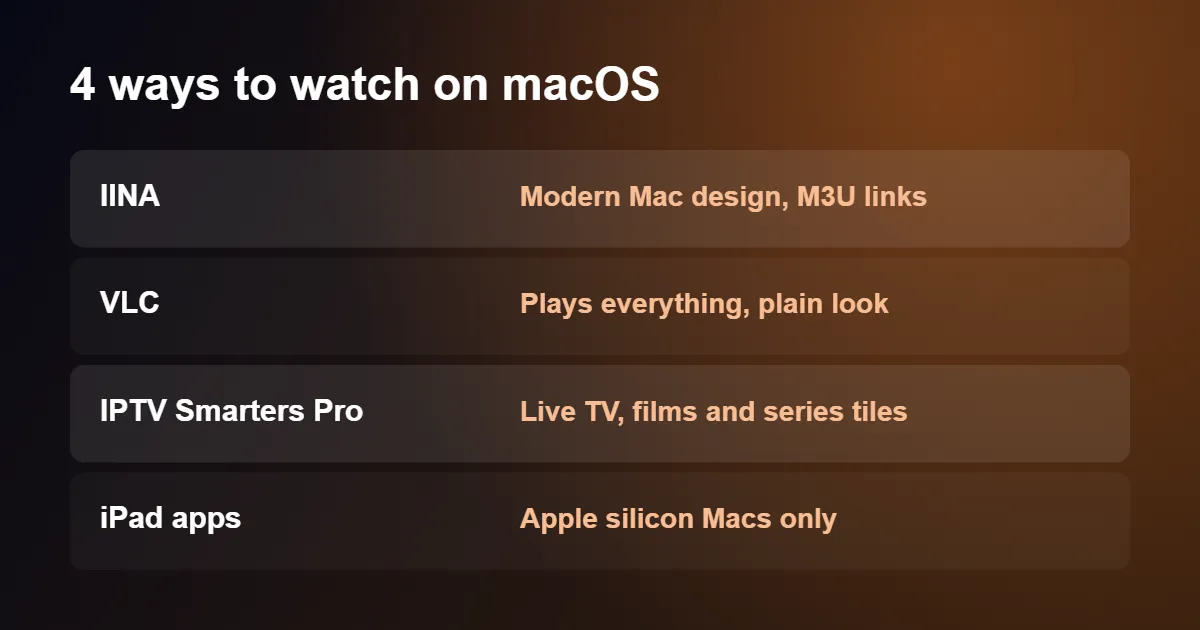
1. IINA: the best-looking player for macOS
IINA is a free, open-source player written specifically for the Mac. It supports dark mode, the Touch Bar, trackpad gestures and Picture in Picture, and it feels like an Apple app.
- Download IINA from its official website and drag it to the Applications folder.
- Open IINA and choose File › Open URL, or press Shift+Command+O.
- Paste your M3U link and select Open.
- Click the playlist icon in the controls to see the channel list.
2. VLC: the one that plays everything
VLC is less elegant but handles any format you throw at it.
- Install VLC from the official VideoLAN website.
- Choose File › Open Network, or press Command+N.
- Paste the M3U link and select Open.
- Choose Window › Playlist to browse and search channels.
3. IPTV Smarters Pro: a television-style layout
If you want films and series with posters and a familiar Live TV menu, IPTV Smarters Pro offers a macOS version.
- Download the Mac installer from the official IPTV Smarters website.
- Open the file and drag the app to Applications.
- Open it, choose Login with Xtream Codes API and enter your server address, username and password.
4. iPhone and iPad apps on Apple silicon
Macs with Apple silicon can run many iPhone and iPad apps. Open the Mac App Store, search for a player, and select the iPhone & iPad Apps tab in the results. Whether a particular player appears is the developer’s choice, so availability varies. Where it works, you get the same app and layout described in our guide to IPTV on iPhone and iPad.
When macOS Blocks a Downloaded App
The first time you open an app downloaded outside the App Store, macOS may say it cannot be opened because the developer cannot be verified. This is a security feature called Gatekeeper.
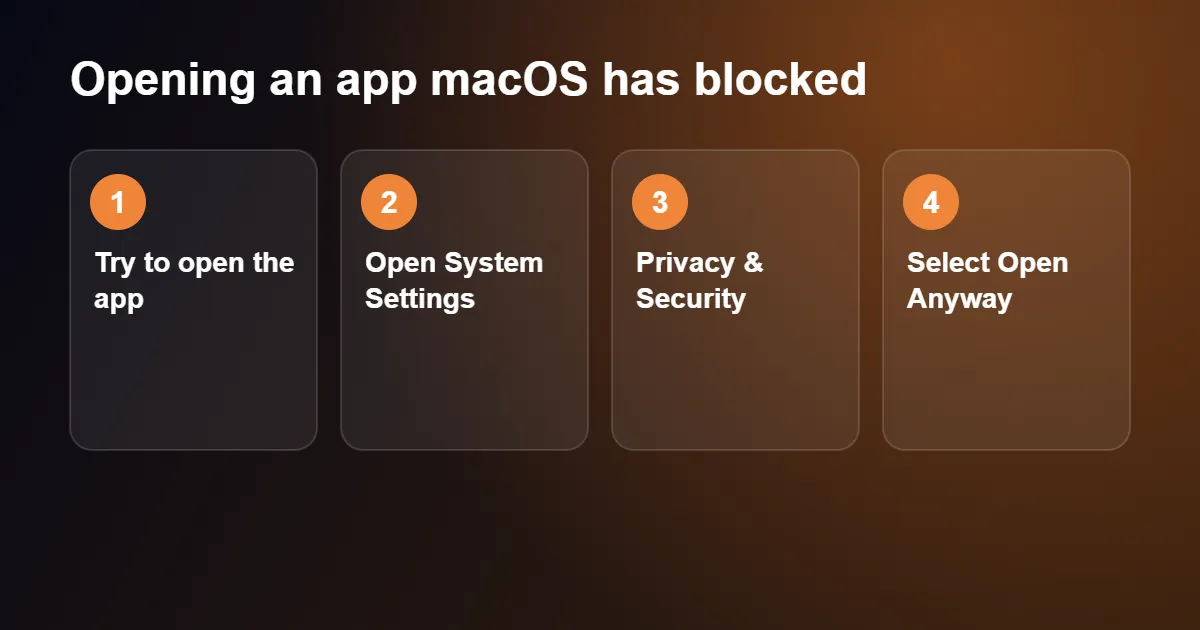
- Try to open the app once, then close the warning.
- Open System Settings › Privacy & Security.
- Scroll down to the Security section. You will see a note about the blocked app.
- Select Open Anyway and confirm with your password or Touch ID.
Only do this for software downloaded from the developer’s own website. If you are unsure where a file came from, delete it and download it again from the official source. Apple explains the feature on its Mac support pages.
Watching on a Television
AirPlay: click Control Centre in the menu bar, choose Screen Mirroring and select your Apple TV or AirPlay-compatible television. In IINA and VLC you can then move the player window to the TV and go full screen with Control+Command+F.
HDMI: recent MacBook Pro models, the Mac mini and the Mac Studio have an HDMI port. Other models need a USB-C to HDMI adapter. A cable gives a steadier picture than mirroring over Wi-Fi.
For regular viewing on a television, a player installed on the TV device itself is more convenient. See IPTV on Apple TV or how to set up IPTV on a Smart TV.
Settings for Smoother IPTV on Mac
Hardware decoding
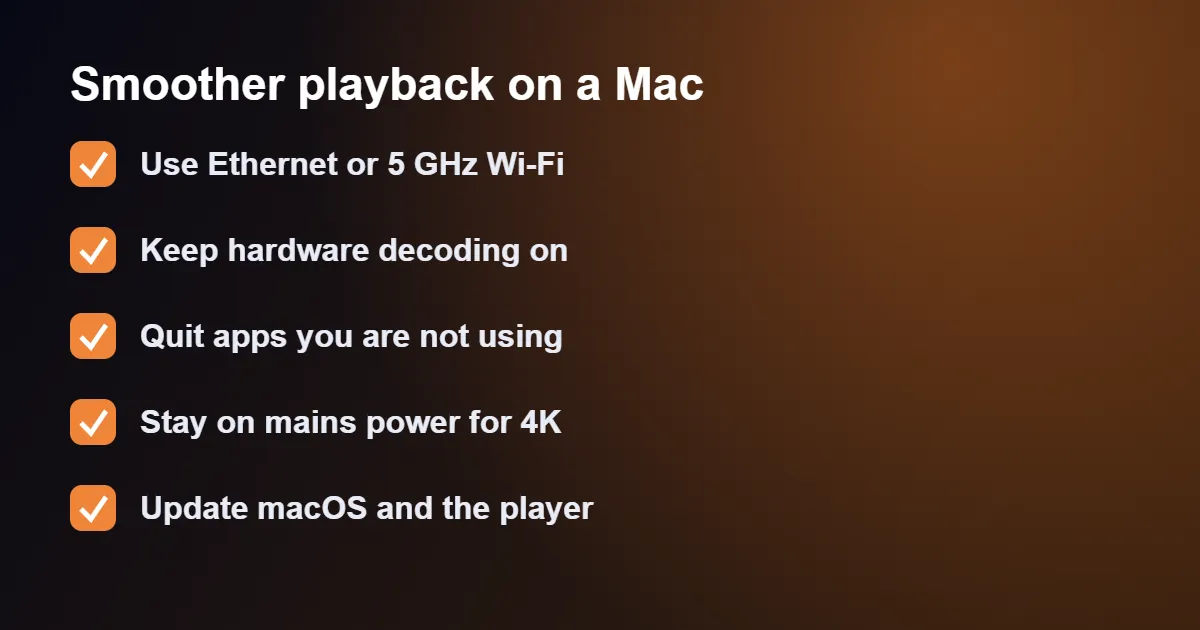
In IINA, open Settings › Video/Audio and keep Hardware decoder set to Auto. In VLC, open Settings › Input / Codecs and leave Hardware decoding on. This keeps the fans quiet and the battery lasting.
Network cache
In VLC’s settings select Show All, open Input / Codecs and raise Network caching to around 1500 ms if you see brief pauses.
Wi-Fi band
Hold the Option key and click the Wi-Fi icon in the menu bar. The Channel line shows whether you are on 2.4 GHz or 5 GHz. The 5 GHz band is faster at short range. What you need for each quality level is in internet speed for IPTV.
Fixing Common Problems With IPTV on Mac
The link opens but shows only one channel
The playlist panel is hidden. In VLC choose Window › Playlist; in IINA click the playlist button.
“Your input can’t be opened”
The link was cut short when copying or has expired. Copy it again in full and check your subscription is active.
Choppy playback on an older Intel Mac
4K and high-efficiency video are demanding on older processors. Choose the Full HD version of a channel where one is offered, and close other apps. If every channel struggles, see our IPTV buffering fix guide.
No sound through the TV on HDMI
Open System Settings › Sound › Output and select the television.
M3U Link or Xtream Codes: Which Login Works for IPTV on Mac
Before you set up IPTV on Mac, look at the welcome message from your provider: it normally contains two kinds of login, and which one you paste depends on the player. An M3U link is a single long web address that holds your whole channel list. Xtream Codes details are three short pieces: a server address, a username and a password. Both open the same channels; the difference is how much the player can do with them.
IINA and VLC are media players first, so they only understand the M3U link. They will play every channel, but they show the list as a plain playlist with no programme guide and no posters. IPTV Smarters Pro and most iPhone and iPad apps accept Xtream Codes details, which lets them sort channels into categories, load the TV guide automatically and present films and series as a browsable library.
If you are setting up IPTV on Mac for the first time, start with the Xtream Codes details in IPTV Smarters Pro, and keep the M3U link for IINA as a lightweight backup. Type the server address exactly as it was sent, including the port number after the colon, because a missing digit is the most common reason a login is refused. Our guide to M3U vs Xtream Codes explains the two formats in more detail.
Comparing the Four Ways to Watch IPTV on Mac
Each option suits a different kind of viewer. The table below sums up what you gain and give up with each, so you can pick one without installing all four.
| Player | Login type | Best for |
|---|---|---|
| IINA | M3U link | Live channels with a clean, native macOS look |
| VLC | M3U link | Older Macs and unusual stream formats |
| IPTV Smarters Pro | Xtream Codes or M3U | TV guide, films and series with posters |
| iPhone and iPad apps | Depends on the app | Apple silicon Macs, same app as on your phone |
A sensible setup for IPTV on Mac is two players rather than one. Use IPTV Smarters Pro for everyday viewing, because the guide and the categories make a large channel list manageable, and keep IINA or VLC installed for the moments when a stream refuses to open elsewhere. Having a second player also makes troubleshooting quicker: if a channel fails in both, the fault is with the stream or your connection rather than the app.
Whichever you choose, IINA and VLC are completely free, and none of the four includes channels of its own. A player is only the window; the content comes from your subscription.
Internet Speed and Connection for IPTV on Mac
With IPTV on Mac, the computer is rarely the weak link; the connection usually is. As a rough guide, allow around 10 Mbps for a Full HD channel and around 25 Mbps for 4K, on top of whatever the rest of the household is using at the same time. Run a speed test in the room where you actually watch, not next to the router, since the figure can drop sharply through a couple of walls.
For a desk-bound iMac, Mac mini or Mac Studio, an Ethernet cable is the simplest upgrade you can make. Many desktop Macs have a network port built in. A MacBook needs a USB-C to Ethernet adapter, which costs little and removes Wi-Fi interference from the equation completely. Once the cable is connected, macOS prefers it automatically, and you can confirm this under System Settings › Network, where Ethernet should appear at the top with a green dot.
If a cable is not practical, stay on Wi-Fi but pause the things that quietly eat bandwidth while you watch: iCloud Photos uploads, Time Machine backups to a network drive, and large downloads in the App Store. Our guide to internet speed for IPTV covers the numbers for every picture quality.
Setting Up the TV Guide and Favourites
IPTV on Mac is far easier to live with once the programme guide and a favourites list are in place. In IPTV Smarters Pro the guide normally loads by itself when you sign in with Xtream Codes details. If the schedule is empty, open the settings, choose the option to refresh or update the EPG, and give it a minute or two to download.
When programme times are an hour out, the cause is nearly always the time zone rather than the service. Check that your Mac is set to the correct region under System Settings › General › Date & Time, then look for a time-shift or EPG offset setting inside the player and adjust it until the guide matches what is on screen.
To build a favourites list, right-click a channel, or press and hold it, and choose the option to add it to favourites. Ten minutes spent doing this for the channels you watch every week saves scrolling through thousands of entries later. IINA and VLC have no favourites list for a remote playlist, although the search box in VLC’s playlist window finds a channel by name in a second.
Mac Features That Make Watching Easier
One advantage of IPTV on Mac over a TV stick is that you can keep watching while you work. A few built-in features make this much more comfortable.
- Picture in Picture. In IINA, choose Video › Enter Picture-in-Picture to shrink the channel into a small window that floats above your other apps and can be dragged to any corner.
- Float on top. In VLC, choose Video › Float on Top to keep the player above your documents or browser without going full screen.
- A second screen. With an external monitor connected, drag the player to it and go full screen there; your main display stays free for everything else.
- Keyboard control. The space bar pauses and resumes in both IINA and VLC, which is quicker than reaching for the mouse.
It is also worth stopping the Mac from dozing off in the middle of a match. Video players normally keep the display awake while something is playing, but if yours dims anyway, open System Settings › Lock Screen and lengthen the time before the display turns off. On a MacBook, switch off Low Power Mode under System Settings › Battery while you watch, because it can reduce performance.
Battery Life and Heat on a MacBook
IPTV on Mac is light work for a modern machine. Apple silicon models decode HD and 4K video in hardware, so a MacBook Air stays cool and silent and will comfortably play for several hours on a charge. Older Intel MacBooks work harder: expect the fans to spin up with 4K channels and the battery to drain noticeably faster.
Three small habits help on any model. Lower the screen brightness a little, since the display is the biggest drain. Close browser tabs you are not using, particularly ones playing video or adverts in the background. And for a long session, such as a full evening of sport, simply plug in the charger. If an Intel Mac gets hot, raise it off soft surfaces like a duvet or sofa cushion so that air can reach the vents.
Staying Safe With IPTV on Mac
Mac users are not immune to bad software, and IPTV players are a common disguise for it. Download IINA, VLC and IPTV Smarters Pro only from their official websites or from the Mac App Store, and avoid “modded” or “unlocked” versions offered on forums and file-sharing pages. A genuine player never needs access to your contacts or photos just to play a channel.
Treat your subscription login like any other password. Do not post your M3U link in a forum or a screenshot when asking for help, because the link contains your username and password in plain text. If you think it has been shared, contact support and ask for new details. Finally, keep macOS and your players up to date; updates fix playback bugs as well as security problems, and they are the easiest fix for an app that suddenly stops opening after a system upgrade.
A Quick Checklist for IPTV on Mac
If you would rather follow one short routine than read every section, this is the order that causes the fewest problems.
- Check your macOS version, and whether your Mac has Apple silicon or an Intel chip, under Apple menu › About This Mac.
- Run a speed test where you watch, and connect an Ethernet cable if you can.
- Install IPTV Smarters Pro for everyday viewing and IINA as a backup player.
- Sign in with your Xtream Codes details, then wait for the channels and guide to finish loading.
- Add your regular channels to favourites and check the guide times are correct.
- Test one HD and one 4K channel for five minutes each before you settle in for something you care about.
Done once, this takes about fifteen minutes, and your IPTV on Mac setup will not need repeating unless you change computer or provider.
IPTV on Mac: Quick Questions
Which player is best?
IINA for live channels from an M3U link, IPTV Smarters Pro for an on-demand library. More options are in our list of the best IPTV player apps.
Can I watch in Safari?
Only if your provider offers a web player. A dedicated app is more stable and gives better control over quality.
Is a Windows PC set up the same way?
VLC is almost identical, but the other programs differ. See IPTV on Windows.
Does IPTV on Mac work on an older Mac?
Usually, yes. VLC still supports macOS releases going back many years, so it is the safest choice for a machine that can no longer be updated. IINA and IPTV Smarters Pro need a more recent system, so check the requirements on their download pages before installing.
Can I use the same login on my Mac and my TV?
Using IPTV on Mac does not stop you signing in on other devices, but the number that can play at the same moment depends on your plan. If a channel stops on the TV when you start it on the Mac, you have reached that limit. The plans are compared on our UK IPTV subscription page.
Can I try IPTV on Mac before paying?
Yes. A 24-hour IPTV free trial gives you the same kind of login as a paid plan, so you can test your Mac, your player and your connection at the times you normally watch before choosing a subscription.
Why does the stream stop after my Mac wakes from sleep?
This is normal behaviour for IPTV on Mac: the connection to the server is dropped when the computer sleeps, and the player does not always reconnect by itself. Stop the channel and start it again, or reload the playlist. If it happens often, lengthen the sleep timer as described above.
Do I need extra software such as a codec pack?
No. IINA, VLC and IPTV Smarters Pro include everything needed to play IPTV on Mac, and macOS does not use codec packs. Any site telling you to install one in order to watch should be closed.
All you need now is a login. Choose a UK IPTV subscription, mention that you are setting up IPTV on Mac, and we will send your details in the format your player needs.